Archive
Seething as I am asked not to take pictures on my own street!
I just dashed off this fun little missive to the location manager, sub-manager and Brent Council Film Office contact for the location shoot that is going on across the road from me right now. Try to gauge my mood here.
Update 30 minutes later – wow, that was quick, they have replied to my letter – see the bottom of this post.
To whom it may concern,Hi, I live on [my] Road, and, having been on a film set before once or twice, was naturally interested to see a location shoot rock up on my humble street (despite lorries loudly arriving post-midnight last night).Whilst on the way to do some shopping I whipped out the iPhone to do a casual snap of the film crew in action, to show my absent girlfriend later, when I was approached by one of the gentlemen from [Security Firm Name] who asked me not to take a photo. I was standing on the public pavement at the time.I am a photographer on the side and am, as you will see, very protective of photographic rights. I’m going to get pedantic here, but you need to hear it.I explained to him that I had every right to do so, as I was on public land (see http://www.photographersrights.org.uk/page6/page6.html) and furthermore he was a visitor on my street, not the other way around.He tried to explain that there was a “custom” of not taking photos of film crews, which was a new one on me. I said he did not have the right to ask me to stop – not even a policeman’s badge, much less a high-viz jacket, would give anyone the right to stop me taking a photo from a public place – and he demurred that I had the right to take the photo, but then he had the right to wave his arms around in front of me (which he did not do) in order to prevent the photo. I admit that this is technically true, but he would have been harassing me if so and the police might have got involved. I was called “argumentative” for sticking up for my rights. Damn right I am.The point of all of this is that you are filming in a public environment, and so am I. You have a permit, I don’t need one. For your information I took an oblique photo (not video) of the crew, no cast members, and nothing plot-threatening (to be honest, rom-coms are not my cup of tea). But that is not material. As long as I am standing on public property, I could have had my professional camera out, shooting right into the action, and been within my rights.I understand your desire to protect copyright and prevent plot details leaking, and I am excited to have this sort of action in my street, but your desires do not outweigh my rights, and I am not going to be cowed by some guy because he happens to be wearing a vest.ThanksLuke Robinson
This was the admittedly very conciliatory and friendly reply, sent within thirty minutes. Fair play, I am a bit less seething now.
Hi Luke
Thanks for your email.
You are quite right, we have no right to stop anybody from photographing on the street, we only try to avoid flash photography or sounds ruining our shots, but that’s all, and this is usually just a request.
I am surprised that any of my security crew would have stopped you from using a camera in the street, only to ask you to be careful not to use a flash or something similar.
Please accept my apologies if this has caused you any inconvenience at all, I can assure you that this is just a misunderstanding, I will ensure that this does not happen again.
Photos from London 2012 Olympics Day 7 – Men’s Hockey + Olympic Park
On Friday, August 3rd 2012 we returned to the Olympic Park to see the Men’s Hockey matches, Spain v South Africa and Belgium v South Korea. Though we arrived late due to underestimating travel time, we still caught some of the first match and all of the second. The atmosphere was merry for the Belgium / Korea match, as while there were a fair few Belgium fans and a smattering of Korean fans, the vast majority of the crowd were neutrals who took up the Korean cause as the supposed underdogs – cue curiously British football-style chanting of “We love Korea, we do, we love Korea, we do… ohhh Korea we love you.” Mexican waves abounded. And the hockey wasn’t bad. We joined the throngs afterwards ambling back towards the park towards Stratford and got to see the Stadium, the Orbit and the other buildings in their full night-time regalia.

Spain wins against South Africa in Men’s Hockey, Olympic Park

Olympic Men’s Hockey: Belgium vs South Korea
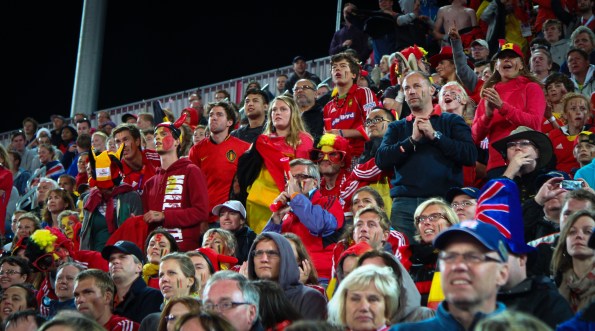
Belgium fans watch Olympic Men’s Hockey: Belgium vs South Korea

Olympic Men’s Hockey: Belgium vs South Korea
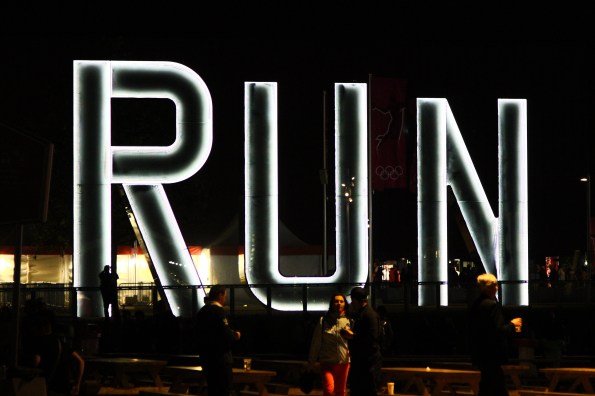
R.U.N. Outside Copper Box, Olympic Park

ArcelorMittal Orbit by Night

Olympic Stadium and Orbit by Night
There are about double the number of shots here shown in my photoset over on Flickr – go have a look.
I also did a cheeky little 360 degree panorama on the iPhone from inside the Riverbanks Arena which you can see here.
Timelapse videos: Enough already.
This might be just sour grapes – after all I have never gotten it together to actually buy or make a timelapse motion control rig – but I reckon the internet has enough timelapse videos now.
There is nothing technically wrong with them. The creators deserve kudos for the time, energy and technique put into capturing all their timelapses – something which by its very definition is a time-consuming and laborious exercise. Some of them are great showreels for their creators.
But here’s the thing: they all seem to blend in together after a while. If you keep up with photography blogs or websites, you know what I am talking about, I feel sure. Every video seems to feature some combination of the following:
- Cityscapes (bonus points for river traffic in harbour cities)
- Landscapes (bonus points for moving stars and/or aurora borealis)
- Stirring piano music (must be earnest and if possible contain grandiose string sections) *
- Suspiciously uniform two-metre horizontal travel (blame the dollies)
- Tilt-shift (optional extra)
- Vimeo (well where else would you put it, duh)
I am ready to see someone do something new in the world of timelapse videos. How can this already-stagnating format be invigorated?
*I swear all of the timelapse videos in the last year have used the same music, but it is so generic that it is impossible for the human brain to recognise it when heard repeatedly.
New Gigapan Panorama of Paris
I have uploaded my first panorama to Gigapan.org. This is relatively small, 68mp compared to 1gp that some of their panoramas can boast, but it’s still a great way to view a large panorama in an interactive way. Be sure to hit the full-screen button for the best experience.
My Paris Gigapan can be viewed here.
Visiting the Dordogne and Limousin, June 2012 – Photo Report
As part of the same trip that started with a few days in beautiful Paris, we travelled south to the Dordogne / Limousin area for a few more days of exploration, relaxation, and degustation before joining up with some friends in the region for a three-day wedding extravaganza.
Our route took us from Limoges down to the Dordogne river itself, which is festooned with medieval villages and chateaux hewn out of hillsides and perched atop cliffs. Many of the villages and chateaux were variously at odds with each other during the Hundred Years War, with the French hunkered down in one redoubt while just a kilometer away, on the other side of the river, Richard the Lionheart might have been planning his next conquest. We were able to variously visit or canoe past many of these during our first couple of days.
Click on any of the photos below to view larger versions on Flickr – and click them again once you’re there if you want to see full screen!

Castelnaud-la-Chappelle

Beynac-et-Cazenac
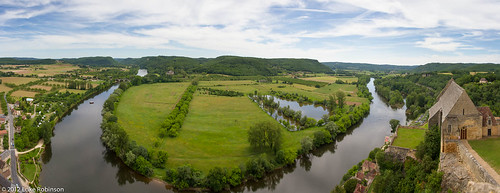
Panorama of the Dordogne from Chateau Beynac-et-Cazenac

Roses of Beynac-et-Cazenac

Interior staircase of Chateau Beynac-et-Cazenac
Over the course of our visit we moved North, away from the Dordogne river, and visited many quaint (and quiet) villages en route, including Bourdeilles and the very picturesque Brantôme, “the Venice of the Dordogne”.

Roses of Bourdeilles

Brantôme Panorama

Canalside door, Brantôme

Hungry Ducks of Brantôme

No Parking, Brantôme
More images can be found in my Flickr set “The Dordogne and Limousin – June 2012“.
A Quick Hop to Paris – Photo Report
Let’s just get something straight right from the start: it is possible to drop your camera on its shutter release and take a good photo in Paris.
That being said, I have been to Paris so many times, that to be frank my last couple of visits have seen me running out of inspiration a bit. I thought to myself, there are only so many photos of the Seine and the Eiffel Tower that you can take. Which is true, but it’s been a few years since I did the “proper” tourist Paris, and a chance to take my girlfriend to the City of Light for her inaugural visit on our way down to the Dordogne meant that I had the perfect opportunity to recapture some of the most hackneyed photo subjects in the world – but we were lucky enough to have nice light most of the time, so I didn’t feel too ashamed of myself.
So take a ride with me as I present my own version of the Standard Book of Parisian Photography.

Carvings in the facade of Notre Dame

Keepie-uppie in Montmartre

Montmartre Couple

Paris Panorama from the Tour de Montparnasse

Eiffel Tower from Below

Sevres Gate on the Boulevard St Germain

Ile de la Cité Panorama

Summer Days on the Ile de la Cité

Deep Discussion on the Ile de la Cité

Sunset over the Pont des Arts

"Love Padlocks" on the Pont des Arts

Sunset at the Louvre

Sunset at the Louvre

Louvre Pyramid at Night

Eiffel Tower from the Palais de Chaillot, by night
You can see more of these shots on my flickr set here.
There will be more to come from the South of France in a couple of days, a set of shots I very much look forward to reliving.
A simple door in the Marais, Paris

More to come. Still on the road till next weekend.
My new approach to offsite backups from Lightroom
Hi all,
I realise I haven’t posted in a little while here, apologies firstly but the simple truth is I haven’t been anywhere outside work trips (airport-hotel-meeting-restaurant-hotel-airport is not usually conductive to photography) and the UK weather has not exactly been inspiring photo jaunts of late either.
Anyway I am posting today not to show new photos, but to talk about something simultaneously quite pedestrian and yet essential: backups of your photos.
I have a pretty large archive (1.5TB) of my past digital photos stretching back to 2000, and even farther back – I’ve got scans of photos from the pre-digital era. They’re all fairly well organised into folders by year, then month, then subject (e.g. “2008 > 01-January > Marrakech”).
Now I’ve been lucky that (thus far) disaster has not befallen me. I’ve never had a hard drive crash before I could get my photos off of it, nor have I had a fire or burglary which has taken from me my only copies of any precious shots. But this is down to luck so far, and a casual perusal of the internet is all it takes to remind you of how easy it is to lose everything, even by something so daft as an errant press of the delete key.
A couple of years back I was running out of space on my main photo drive, so I upgraded to a RAID system (a QNAP 419+) with 2x 2TB drives operating in a RAID mirrored configuration, with 2 empty drive bays for future expansion. The RAID mirroring means I don’t have to worry about a hard drive failing – if it does, the other drive will just take over until I can replace the dud one. So far, so good.
However, this is not truly backed up. For one thing, I could still fall victim to the dreaded accidental Delete key. RAID won’t help with that. And I could still lose the whole thing in a house fire or burglary. In an ideal world I would either be using Time Machine on my Mac – which would involve having another, even BIGGER drive to back up to – or I could keep an external hard drive, remember to back it up once a week or so, and keep it offsite. To be frank, I was too lazy to do this.
I do, however, have two assets that I should be able to use to effect a lazy-man’s offsite backup: Adobe Lightroom and Dropbox.
Like many photographers, I have been using Lightroom to catalog, organise, and process my digital photos for the last couple of years. I have also been using Dropbox for about the same amount of time. Never before, however, had I figured out how to combine them to good effect. But Eric Scouten’s recent update of his Lightroom workflow made me think about backup again and how I might use Dropbox.
I wanted somehow to make it so that I could tag my “keeper” photos in Lightroom and somehow automatically export them into DropBox, crucially with my existing folder structure intact – so a keeper from my Marrakech trip would still be found within the “2008 > 01-January > Marrakech” folder in my new DropBox archive.
My Eureka moment was when I found the HierarchyExport plug-in for Lightroom on the Adobe site. It’s very flexible, allowing the user to either create a new export folder hierarchy (e.g. based on photo metadata, Lightroom collection hierarchy) or, and here’s what stuck out to me, to replicate the file folder hierarchy of the source image. Crucially, it also has an option to skip or overwrite files in cases where the filename already exists in that location.
Then I figured out how I could semi-automate this from Lightroom. I started a new Smart Collection called Dropbox Backup, which I set to include only the photos that had the keyword “DropBox” added to their metadata. I then went about setting up the first batch of photos to backup. Your mileage may vary, but I use the green label (“8”) for “artsy” shots that might end up on Flickr or the blog, and the blue label (“9”) for social / personal / snapshot images. Most of the time, if I then Flag the image (“P”) then it signifies that I’ve uploaded this somewhere. So just to start out and build my collection a bit, I filtered my 2011 photos for green- or blue-labelled, flagged photos. I then did a Select All in the grid, added the Dropbox keyword, and watch the Smart Collection populate with my just-selected photos.
You can see where I am going with this. The process I have come up with is:
- Install HierarchyExport plugin referenced above using Plugin Manager
- Create new “Dropbox Backups” Smart Collection filtered for photos with the “dropbox” keyword
- Tag “keeper” photos with keyword “dropbox”
- Switch to “Dropbox Backups” collection. Verify photos appear in this collection.
- Select All photos in Grid View
- From the File menu, choose Export…
- At the top of the Export dialog, change the dropdown to HierarchyExport
- Change the parameters of the plugin to suit yourself. In my case I use Original Folder structure, and I skip files if they already exist. Note: this will prevent you writing out the same files over and over again as your collection grows.
- Set the image export particulars to suit yourself. I actually went for exporting to 100% quality, non-resized JPEGs. I would have gone for TIFFs if not for space concerns. I also turned off watermarks in case I want to use these as print files.
- Set the Export location to somewhere within your DropBox folder. I actually put these in an “Archive” folder within the Photos folder on mine. That ensures that I can browse them from anywhere on the internet, if need be.
- Save this as a User Preset by using the + button on the left. Call it “Backup Dropbox”.
From now on this means that all I have to do is tag my photos in Lightroom with “Dropbox”, go to the smart collection, select all and do File > Export and pick the “Backup Dropbox” preset. Lightroom and the plugin will backup all my chosen photos with folder structure intact, will be smart enough to ignore ones it’s already done, and I will finally have my long-sought-for offsite backup.
UPDATE August 2012
Well a few months into the process, I have made a slight modification that saves a lot of time on exporting. Once my files have made it through to the DropBox folder, I select all of the successfully-backed-up images in Lightroom and change the keyword from “dropbox” to “dropbox_backedup”. I have also changed the Smart Collection filter to exclude any of the “dropbox_backedup” images. In short, I have saved the export routine from going back over all of the previously-exported images every time I want to do a backup. This saves a lot of time on my increasingly-ancient iMac.
[From the Archives] Photos from Marrakech, Morocco
From time to time, I will use these “From the Archives” posts to highlight some of my photography from the period before I started this blog in 2009. These photos have been publicly available on Flickr for some time but they have never before been featured on this blog. I hope you enjoy this blast from the past!
Waaaaay back in the early days of 2008 I popped over to Morocco for a brief (very brief) look around Marrahech, from the old medina surrounding the central square Jemaa al-Fna, including the myriad alleyways with mysterious doorways opening into stunning riads to the simultaneously fascinating and annoying souk – annoying due to very very persistent touts, but enjoyable nonetheless. Outside the centre were various palaces and mosques to be enjoyed, but the highlight was the beautiful Majorelle Gardens and their heritage buildings.

Arrival at Marrakech

Rose atop the Dar Silsila

Souk Beggar
More photos below the fold, simply click below:
Read more…
Winter in Berlin – Photo Report
Howdy everyone, hope February’s treating you well. Just this past weekend I travelled to Berlin for my girlfriends’s birthday celebrations and lugged my camera along. I love Berlin, it seems to be right at the centre of Europe’s respective cultural and political maelstroms and it’s a vibrant, ever-shifting and fascinating place to spend a few days. Of course, by choosing to travel there in early February we more or less guaranteed that it would be viciously cold, and we were not let down on this front. One (late) morning we discovered that the reason we’d felt especially cold at 4AM was that the temperature had dipped to -18C (0F). I’m from South Carolina and not even 12 winters living in London meant I had experienced that kind of cold. But, as they say, there’s no such thing as bad weather, just bad preparation. Fortunately both of us were well kitted out with thermals, glove liners, toe warmers etc and still had a whale of a time. Anyway, the photos below show a rather abstract outdoor view of Berlin and don’t reflect the sheer amount of time we spent warming up indoors. But then again, once you’ve seen one blurry picture of a bar you’ve seen them all…

Reichstag Dome Reflection

Berlin Abstract
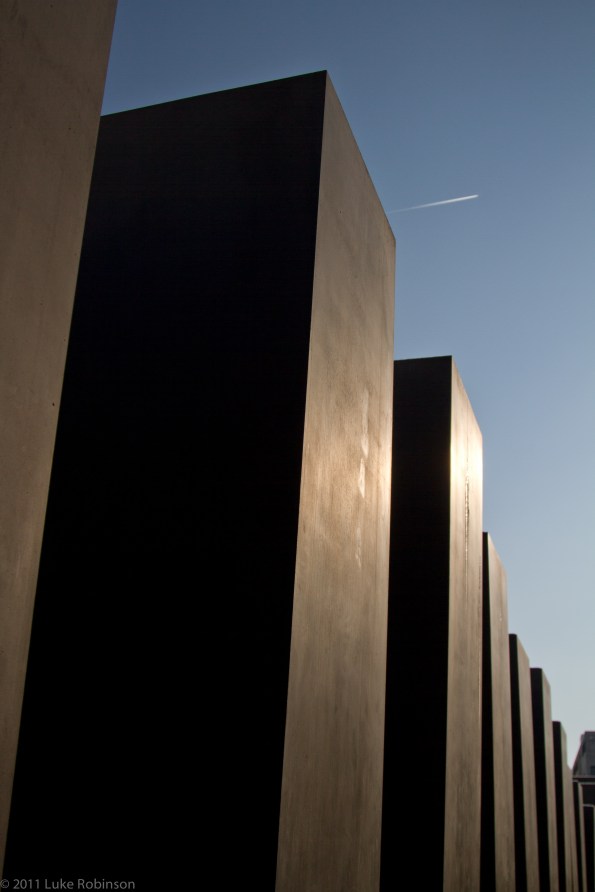
Berlin Holocaust Memorial in Winter

Berliner Dom and Fernseturm

Museum Island, Winter Light

Sony Centre Roof, Potsdamer Platz

Berlin Wall at Topography of Terror site

Gate of Babylon, Pergamon Museum

Jewish Museum Staircase

Anti-ACTA (Piracy Bill) March, Mitte
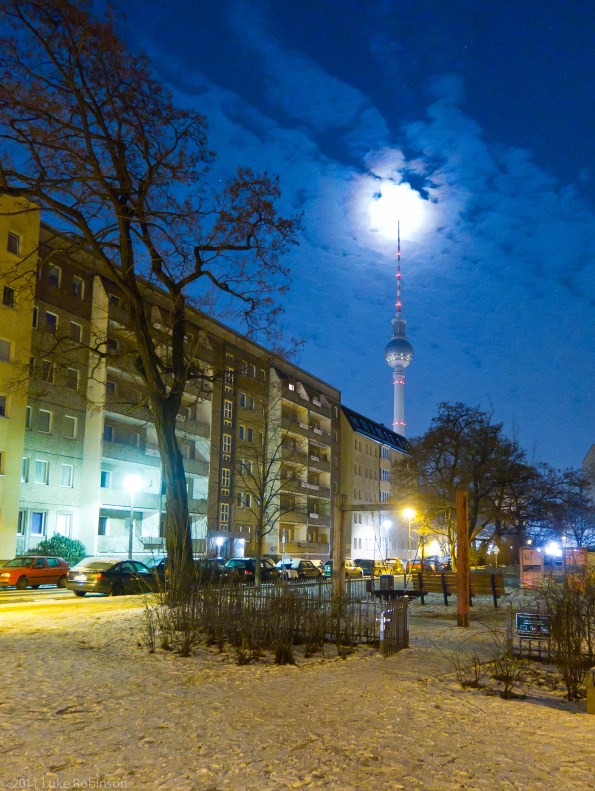
Moon and Fernsehturm, from Mitte

Roa Mural, Kreuzberg

Astronaut Mural by Victor Ash, Kreuzberg
As usual, more photos from this trip can be found over on Flickr.


 Mortal Coil